Browser
Vice City in a browser
A browser port is a single-player copy running in the tab. It is not Rockstar online play, and it can disappear after a copyright complaint.
By GTA Vice City Online Editorial Desk · Method and limits
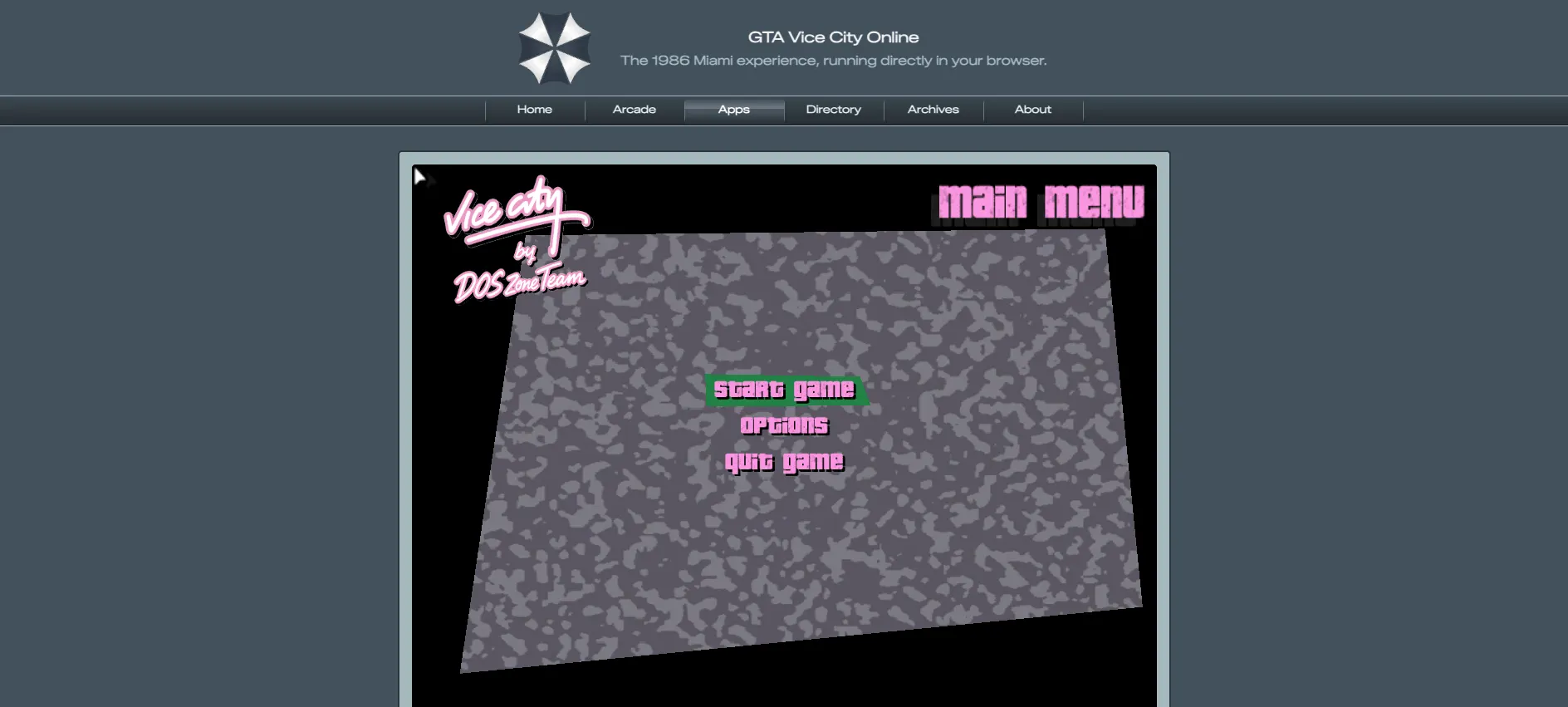
On 24 October 2026 I opened quenq.com/apps/vice-city in a desktop browser. Play led to a VC Web panel with Save Manager, Mod Manager, and an FPS limit. The boot screen read “Vice City by DOS Zone Team”, then a menu with Start Game, Options, and Quit Game. I was not asked to upload a game file on that page.
Not affiliated with Rockstar Games or Take-Two Interactive. No game files are hosted here.
Status on 24 October 2026
| Site | Reached menu? | Asked for files? | Notes |
|---|---|---|---|
| quenq.com | Yes | No | Boot line named DOS Zone Team |
| dos.zone Vice City | No, 404 | n/a | Platform home still loaded |
| gtabrowser.com | Install gate | Not established | Same VC Web style UI |
| vicecityonline.vercel.app | Install gate | Not established | Same template as gtabrowser |
Limits I would tell a friend
- Save and mod tools are inside that third-party page. This site does not sync them.
- An FPS limit control was visible. If the game feels locked near 30, read troubleshooting.
- Touch and gamepad support are claimed on the Quenq page. I did not complete a full mission on a phone in this check.
- The Quenq app list showed Vice City and GTA III only. It did not list San Andreas or GTA V.
The product page did not show a Rockstar or Take-Two license line. DOS Zone was removed after a DMCA report. Treat any browser port as temporary. Read is it legal? before you rely on it.
Questions
Do I upload my copy to play on Quenq?
The Quenq Vice City page did not ask for an upload on 24 October 2026. gtabrowser.com and vicecityonline.vercel.app showed an install gate instead.
Is the browser version multiplayer?
No. The menu I reached had Start Game, Options, and Quit Game. There was no server browser.
Continue:Quenq · Fixes · Safety
Sources
Checked 24 October 2026. Page updated 2026-10-24. Prices and store listings can change by region.